How to install Tux Paint stamps

November 17, 2009 by Chris · Leave a Comment 

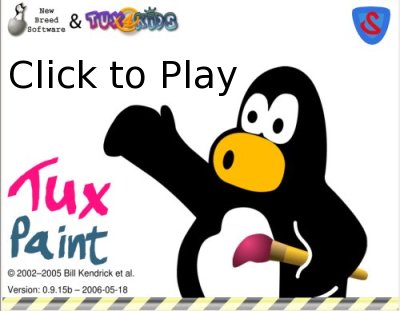
I’ve talked about Tux Paint on this blog over the years and produced an informative and slightly humorous Tux Paint demonstration video back in 2006. The video has been downloaded 1,066 times from internet archive.org and viewed 31500 times not including the 14000 views from the version with low quality audio which Ive deleted.

The most common question I get asked is “how do I get the stamps?“. All of the people who have asked are on the windows platform, I believe this is probably because on Debian/Ubuntu systems the stamp packages are installed with Tux Paint. So rather than continue to reply to all the email and comments I decided to write this howto and perhaps someone will do the screencast version.

Getting Tux Paint stamps for windows and mac osx

The steps are the same, visit the Tux Paint website, chose your operating system then download and install the optional stamps package.

tuxpaint_website_dos_dl

Chose OS then download and install stamps

Some of the people that asked me about the stamps must have been too excited at the time they downloaded Tux Paint and didn’t notice the optional stamps package or perhaps they didn’t install Tux Paint. If you’re having trouble you might need to ask an adult for help, if that fails just go colour.

Tux Paint stamps on Ubuntu

Ubuntu software package managment

Ubuntu software package managment

On Ubuntu we have advanced packaging tools, software management programs and remote software package repositories. Pretty much all the software on my system has been installed this way, its easier and more user friendly then installing software on other systems and the amount of top quality software you can install is amazing. Using search its easy to find cool new programs, for example if you’re a social media guru you might search for twitter, facebook or blog software, if you need a web server running a wiki you might simply install mediawiki and enjoy watching all the system dependencies get met. The two programs I’ll mention are the Ubuntu Software Center and Synaptic.

Ubuntu Software Center

The Ubuntu Software Center is new in Ubuntu 9.10, some people may not have upgraded so we will also look at Synaptic. Synaptic is usually installed on most versions of Ubuntu.

The Ubuntu Software Center is available from the Applications menu.

Ubuntu Software Center

Ubuntu Software Center

Simply use search, type tuxpaint and click the arrow and your done.

Ubuntu Software Center - Search

Ubuntu Software Center - Search

Synaptic

Synaptic is available through System Administration menu.

Again simply use Quick Search and type tuxpaint, Synaptic gives us more information about the packages, to install/uninstall software you tick the box and hit apply.

Synaptic - tuxpaint

Synaptic - tuxpaint

Tux Paint still reigns as the best educational paint software. Usually people are having too much fun with Tux Paint to think of it as an intelligent tutoring system within a highly interactive learning environment.

Tux Paint is available for free and as free software and you can also purchase the CD. It makes a great gift.

GCompris, the best suite of free educational software for children

May 1, 2009 by Chris · 6 Comments 

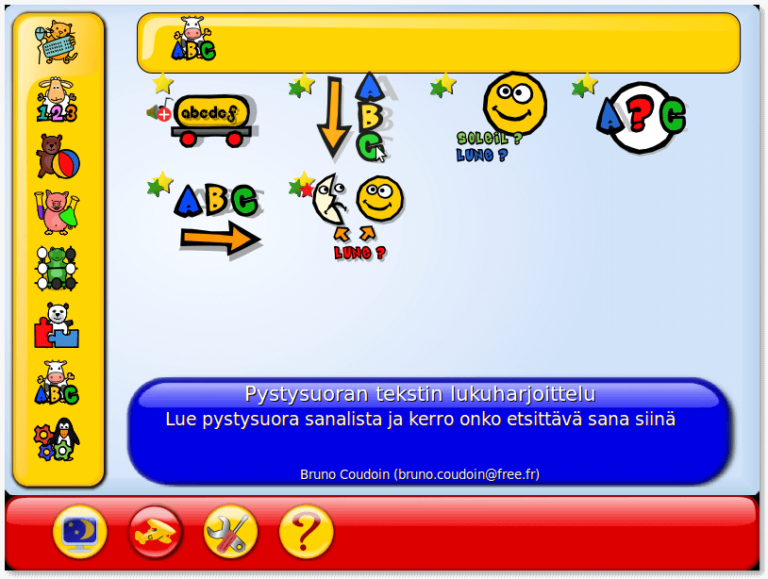
GCompris is amazing, its fun and kids love it. Over the years I’ve distributed a lot of educational freedom respecting software and GCompris is popular. Lets look at some info from the GCompris Wikipedia article:

It is available for Linux, Mac OS X and other systems. Binaries compiled for Microsoft Windows version are distributed as crippleware with a restricted number of activities; it is possible to access all the activities in Windows for a fee.

GCompris has more than 100 activities related to:

* Computer discovery: keyboard, mouse, different mouse gestures
* Algebra: table memory, enumeration, double entry table, mirror images
* Science: the canal lock, the water cycle, the submarine, electric simulations
* Geography: place the country on the map
* Games: chess, memory, connect 4, oware, sudoku
* Reading: reading practice
* Other: learn to tell time, puzzle of famous paintings, vector drawing, cartoon making

The name GCompris is a French pun impossible to translate. It comes from the French “J’ai compris” [?e kompri], which is French for “I have understood”, and is pronounced the same way as the name of the program would be by a French speaker.

Another interesting thing is that it is translated in more than 40 languages, perhaps that should be added to the Wikipedia article. You can also read about GCompris in the media.

Here’s a short video on youtube that gives us a brief look at it. “Online Tutorial: GCompris Educational Software“.

I have fond memories of using GCompris with adults and children so make sure you check it out.

“The most essential resource of any society is not a physical resource, it’s a psycho-social resource. It’s the spirit of good will; the spirit of helping your neighbour.” — Richard Stallman

For Superuser Support click here.

Worlds best paint software for kids

May 29, 2008 by Chris · 7 Comments 


Watch the Tux Paint video on Youtube
. Or download high resolution(810×630) Tux Paint video in Ogg, Avi and Flash format.

Tux paint is Free software. Visit the Tux Paint home page and download your free copy today.

Bill Kendrick has lots of awesome software. Check out New Breed Software – Games and stuff for Linux, Windows, Mac, Dreamcast, Zaurus and more.

Hands down Tux Paint is the best drawing program for children ages 3 to 12.

For more info check out the Tux Paint article on Wikipedia.

Mediawiki the proven best collaborative networked learning resource development platform in the world

February 19, 2007 by Chris · Leave a Comment 

Wikia

Mediawiki is free software, it is famous as the software platform used in the success of Wikimedia Foundation projects, the most widely known one is Wikipedia. The greatest success in the social construction of information in the world. The largest and most successful free knowledge projects in the world and all this free from proprietary contraints. Most educational institutions haven’t even comes close to this success in the advancement of human knowledge, in fact the opposite is true. Not only has it contributed to the success of Wikimedia projects but its also used in many educational projects, like Wikia, a mobile audio encyclopedia, the one laptop per child project, UNESCO International Institute for Educational Planning’s Open Educational Resources Community, wikieducator, wikischolar and many, many, many others.

Mediawiki provides a simple, feature rich environment for editing and contributing. Its ease of use has no doubt been a contributing factor in the growth of human knowledge.

I use Mediawiki for my Wiki, there’s a collection, of hacks, extensions and tools for extending Mediawiki thats constantly improving every day. You can see the details of how I set up my Wiki here.

Mugshot mini review

January 12, 2007 by Chris · 2 Comments 

Wikipedia: [[Mugshot_(software)]]

Mugshot is a community software system created by Red Hat. Unlike social networking websites, it also has a desktop client component. It is meant to facilitate real-world interactions with friends, and make one’s normal computer use more social. Current features include ‘Web Swarm’ which lets users share web links and join in conversations about them, and ‘Music Radar’, which displays which songs a user is listening to, and allows conversations about the song. Many features are planned, including ‘TV Party’.
Mugshot is free software. “Most” of the client code is distributed under the terms of the GNU General Public License (GPL). Various parts of the server code are distributed under the GPL, the Open Software License 3.0, the Apache License, and the MIT License. All of which are free software licences.

First I visited the Mugshot home page to set up my own Mugshot. When you set up your account include the other social networking sites that you use.

Mugshot Social networking sites

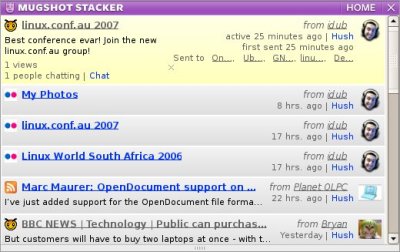
I’m using Delicious, Digg, Youtube and my blog, when I or someone in my groups or network make a blog post, add a bookmark to delicous or use one of the other social networking sites its automatically added to the stacker. Below is a couple of screenshots of my home page, the image on the right is the bottom half of my home page, the stacker, its a bit like a news reader.

Mugshot homeMugshot stacker web

I installed the Mugshot stacker. Like the other desktop applications I use regularly, its on my desktop tool tray which makes it really convenient to check when theres new activities.

Mugshot Stacker

Its not essential to install the Mugshot Stacker desktop application, its also available on your homepage. The thing I really liked about the stacker was that when someone added images to their flickr account or a video to youtube you could click on the entry and preview the thumbnails, with blog posts you can preview and visit the post, with feeds and webswarms you get a short description, you can share them with your groups and network and also start/join a chat about it.

Mugshot Chat

As the title says this is a mini review, visit the Mugshot home page for more information. In my opinion this is the best social networking site I’ve used so far, its [[Free_software]] so you know more features are coming and its only going to get better. Developers can visit the Mugshot Wiki for more information, they’re also hiring. Google users might be insterested in adding the stacker as a Google gadget. You can see my Mugshot mini badge on the far right sidebar at the top.

A couple of my mates use myspace so I hope they bother setting up a mugshot, I also hope all the bloggers I know set one up.

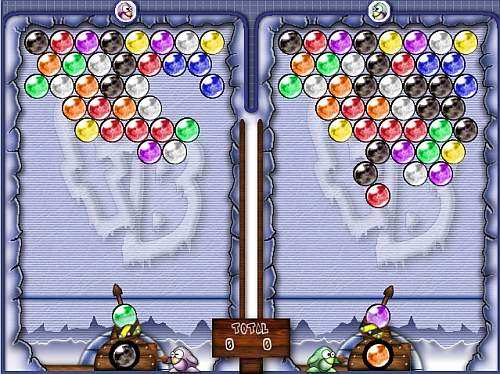
Frozen Bubble v2.0

October 29, 2006 by Chris · Leave a Comment 

Frozen Bubble Homepage

Colorful 3D rendered penguin animations, 100 levels of 1p game, hours and hours of 2p game, nights and nights of 2p/3p/4p/5p game over LAN or Internet, a level-editor, 3 professional quality digital soundtracks, 15 stereo sound effects, 8 unique graphical transition effects, 8 unique logo eye-candies.

More than ever, you really need this game.

It was released a couple of days ago so also check out Pengupop.

Finally a networked multiplayer game in the vein of the puzzle classic Bust a Move/Puzzle Bobble! Beat your friends in this addictive game, or play against a random opponent! Remember to sign up to participate in the score system.

Pengopop

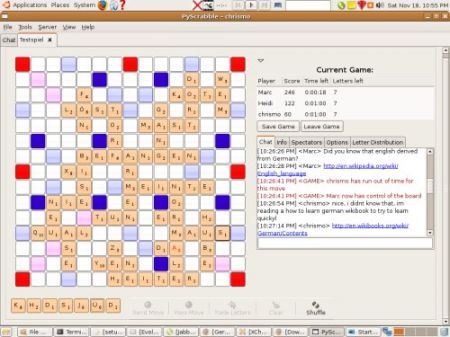
Its available on GNU/Linux MacOS X and windows. I played a few games online, at the end of each round you get to chat with your opponent. All the people I met were Spanish though they all spoke English as well. I learned some Spanish from this Wikibook and a friend who is studying Spanish at Uni so hola,  como estas ? La estudiante es tan inteligente como el profesor. If you let your kids play this game maybe think about introducing the Spanish book.

flickrCC

September 25, 2006 by Chris · Leave a Comment 

More brilliant work from Peter Shanks at Bathurst TAFE NSW.

Check out flickrCC.

I wrote flickrCC so I could easily find photos on flickr that were released under the creative commons license. Stuff that I could use for my experiments with the GIMP or include in my blog. — Peter Shanks

Also check out ICA05 deconstructed

Gobby the free software real time collaborative editor

June 11, 2006 by Chris · Leave a Comment 

This screencast was recorded on the spot. You can watch the video below or visit internet archive to download the Gobby video demonstration.

In the video I didn’t really show the user list which is very useful to see who is represented by which color. You can see that in this gobby screenshot.

Read more about Gobby on Wikipedia and follow the links to start using it yourself.

Next Page »

Recent Photos