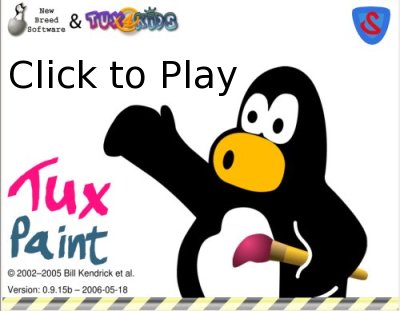
How to install Tux Paint stamps

November 17, 2009 by Chris · Leave a Comment 

I’ve talked about Tux Paint on this blog over the years and produced an informative and slightly humorous Tux Paint demonstration video back in 2006. The video has been downloaded 1,066 times from internet archive.org and viewed 31500 times not including the 14000 views from the version with low quality audio which Ive deleted.

The most common question I get asked is “how do I get the stamps?“. All of the people who have asked are on the windows platform, I believe this is probably because on Debian/Ubuntu systems the stamp packages are installed with Tux Paint. So rather than continue to reply to all the email and comments I decided to write this howto and perhaps someone will do the screencast version.

Getting Tux Paint stamps for windows and mac osx

The steps are the same, visit the Tux Paint website, chose your operating system then download and install the optional stamps package.

tuxpaint_website_dos_dl

Chose OS then download and install stamps

Some of the people that asked me about the stamps must have been too excited at the time they downloaded Tux Paint and didn’t notice the optional stamps package or perhaps they didn’t install Tux Paint. If you’re having trouble you might need to ask an adult for help, if that fails just go colour.

Tux Paint stamps on Ubuntu

Ubuntu software package managment

Ubuntu software package managment

On Ubuntu we have advanced packaging tools, software management programs and remote software package repositories. Pretty much all the software on my system has been installed this way, its easier and more user friendly then installing software on other systems and the amount of top quality software you can install is amazing. Using search its easy to find cool new programs, for example if you’re a social media guru you might search for twitter, facebook or blog software, if you need a web server running a wiki you might simply install mediawiki and enjoy watching all the system dependencies get met. The two programs I’ll mention are the Ubuntu Software Center and Synaptic.

Ubuntu Software Center

The Ubuntu Software Center is new in Ubuntu 9.10, some people may not have upgraded so we will also look at Synaptic. Synaptic is usually installed on most versions of Ubuntu.

The Ubuntu Software Center is available from the Applications menu.

Ubuntu Software Center

Ubuntu Software Center

Simply use search, type tuxpaint and click the arrow and your done.

Ubuntu Software Center - Search

Ubuntu Software Center - Search

Synaptic

Synaptic is available through System Administration menu.

Again simply use Quick Search and type tuxpaint, Synaptic gives us more information about the packages, to install/uninstall software you tick the box and hit apply.

Synaptic - tuxpaint

Synaptic - tuxpaint

Tux Paint still reigns as the best educational paint software. Usually people are having too much fun with Tux Paint to think of it as an intelligent tutoring system within a highly interactive learning environment.

Tux Paint is available for free and as free software and you can also purchase the CD. It makes a great gift.

Worlds best paint software for kids

May 29, 2008 by Chris · 7 Comments 


Watch the Tux Paint video on Youtube
. Or download high resolution(810×630) Tux Paint video in Ogg, Avi and Flash format.

Tux paint is Free software. Visit the Tux Paint home page and download your free copy today.

Bill Kendrick has lots of awesome software. Check out New Breed Software – Games and stuff for Linux, Windows, Mac, Dreamcast, Zaurus and more.

Hands down Tux Paint is the best drawing program for children ages 3 to 12.

For more info check out the Tux Paint article on Wikipedia.

Tux Paint is still the best educational art software for children

January 11, 2007 by Chris · 2 Comments 

Watch the Video.

Tux paint is [[Free software]]. Visit the Tux Paint home page and check out some of Bill Kendricks projects:

  • New Breed Software – Games and stuff for Linux, Windows, Mac, Dreamcast, Zaurus and more
  • Bill’s Games – An award-winning collection of classic games that work with any browser
  • WebFX – award-winning web-based image manipulator

Wikipedia: [[Tux Paint]]

Also make sure to check out [[Mugshot (software)]], its the best community software system. Visit the Mugshot home page.

My kids are going to love this

September 29, 2006 by Chris · Leave a Comment 

The other day I was helping people use computers at a local community group, I knew all of them have young children so I put together a CD with Tux Paint, Tux Paint stamps, GCompris, Elephants Dream and I have some SFD leaflets left over so I gave them a copy of that and we wrote the url of Wikipedia and my blog on the back. We briefly discussed some of those things and then had a look at Tux Paint and GCompris. They were all really happy with the software and we had fun doing some of the activities. Not everyone has the internet at home so thats something to remember.
Links to download the versions for windows users:

The page to download Elephants Dream.

The image above is Copyright © Eric R. Jeschke CC License

Linux Spreads Its Wings In India

September 23, 2006 by Chris · Leave a Comment 

Initial source was digg.com

Linux Spreads Its Wings In India

With 4,000 students and just 21 computers, the Cotton Hill Girls High School in the south Indian city of Trivandrum wouldn’t appear to be at the vanguard of anything related to information technology. Yet the 71-year-old school is abandoning Microsoft Windows software in favor of its free, open-source rival, Linux.

That doesn’t sound like a big deal but here’s more from the artice

The school is one of 2,600 in the state of Kerala making the shift. That means each of the state’s 1.5 million high school students will grow accustomed to working not in the Windows environment familiar to computer users worldwide, but in Linux. And over the next two years, computer science based on Linux software will be made mandatory in all of the state’s high schools. “As a government that keeps the interest of society over corporations, we are committed to the use and development of free software,” says V.S. Achutanandan, Kerala’s sarong-clad chief minister.

This is also nice. Tuxpaint is the best.

“We’re using something called Linux,” says 12-year-old Arya VM as she plays with Tux Paint, a Linux drawing and painting application. And Windows? “Never heard of it,” she says.

Read the article, theres some nice statistics there.

Here’s some interesting stats from the world of enterprise level software.

IDC surveyed 5000 developers in 116 countries and discovered that open source is used by 71% of them and — perhaps more surprisingly — is used in 54% of their production environments.

More links from Digg.com

Munich Begins to Switch Windows Out for Linux

Munich has begun its migration to Linux on the desktop, a year later than planned and nearly three years since the city announced its move to open source software. Since Tuesday, the first 100 of the city ’s 14,000 PCs have been switched from Microsoft’s Windows operating system and Office applications to Linux and OpenOffice.

Nasa Lunar Robot Runs Red Hat Linux

The K-10 is controlled wirelessly, via a PCMCIA-based 802.11g interface connected to an 8db 2.4GHz antenna via an RF cable. The control application runs on the control laptop as a single, multi-threaded userspace application.

Java to be Open Sourced in October

Tux Paint Videos

September 4, 2006 by Chris · Leave a Comment 

Check out Tux Paint Videos.

Bill Kendrick added the Tuxpaint screencast to the list. I’ve demonstrated Tux Paint for quite a few parents and all of them have been really impressed. I also want to screencast software from tux4kids, GCompris and Squeak. If you know anyone with kids looking for free software please spread the word.

Screencasting in Edubuntu and windows with Libre Software

July 20, 2006 by Chris · Leave a Comment 

I finally looked at Cortado and got it working, a bit of a milestone, it means I dont have to bother doubling up anymore with the flv(flash video). The screencast shows and tells you all the details. Here’s the main topics.

  • Screencasting in Edubuntu and windows with Libre Software
  • Converting AVI to Ogg and flv
  • Displaying the video on a webpage using Cortado for the Ogg and an open source flv player for the flash video(flv)
Libre Screencast

Click on the image or watch Cortado playing the Ogg on my Mediawiki and/or watch the flash video. You can also download the Screencasting with Libre Software Ogg. You can also watch them on my blogger blog.
I decided to setup an account with the Internet Archive and Ourmedia.org because I simply cant afford to host all the screencasts I plan to create. If your not familiar with either of those sites then just look them up in Wikipedia. I’m a little disappointed with the Internet Archive because you can only choose a creative commons license or public domain and I prefer to use the GNU GPL or GNU FDL, Ourmedia has the GNU GPL as an option. Here’s the Ourmedia pages for the Screencast with libre software and I’ve also added the Tux Paint video. They’ve already been downloaded 31 times.

I thought about using the Wikimedia Commons because Ogg is the official file format of Wikipedia but I’m not so sure the screencasts are suitable for an Encyclopedia project. Ourmedia has a personal learning centre project and I think it would be good to contribute my work, for a grassroots media project you would think they wan’t to use Ogg multimedia container format. Maybe I could have a section something like Screencasts for learning with libre software and libre knowledge.

I would like to stream live video on the internet and display it on the web using Cortado, I’ll have to try and convince Noiesmo to look at doing that or get a webcam.

So please watch the Screencast and also watch the Tuxpaint video on mediawiki, I want to only use Ogg and Cortado but I really need some feedback about things like the sound and picture quality, do people have Java installed and I want to get a general idea of what I need to work on. The wonderful thing is with libre software comes freedom and freedom is produced by control so I can try to adjust my setup till its really nice. I think I’ve been doing pretty well, the screencast is 8 minutes 25 seconds long 504×392 and only 7Mb.

Bill Kendrick and New Breed Software

July 15, 2006 by Chris · Leave a Comment 

Bill Kendrick runs a site called New Breed Software.

We create Open Source software which is available for a variety of platforms, including Windows, Macintosh, Linux, Unix, BeOS, and even PDAs and video game systems!

As you can see from visiting Bill’s personal webpage, Tux Paint is his most successful open source project, he originally created Supertux, has won many awards for his games and co-founded Linux Users Group of Davis .

During my Tux Paint screencast I read parts of the description of Tuxpaint from Wikipedia, I skimmed passed this part.

The project was started in 2002 by William J Kendrick.

I think leaving that out was a mistake, the volume was too low for some windows users, though I fixed that and I should have a title screen at the start. Apart from that I think my screencast setup is pretty good, one day I hope to have cortado setup so I can delete the flv’s.

Bill left a comment on my blog here so feel free to reply. Thanks Bill.

Watch the video below or watch my Tux Paint video on youtube.
YouTube Preview Image

Next Page »

Recent Photos