




Invasion Day and Australia Day 2010

January 27, 2010 by Chris · 13 Comments 

Yesterday was both Invasion Day and Australia Day.

What does this mean? Some say its all about white guys that BBQ cows and drink beer all day in the sun with their mates while others call it the celebration of a day when representatives of the British Government and Monarchy claiming the entire continent of Australia as their own.

I didn’t have much on so I googled “Australia Day Brisbane” and saw that there was a raising of the flag ceremony at South Bank 11am so I grabbed my camera and off I went.

Raising the flag

Raising the flag

From Flag Raising Ceremony Australia Day 2010 | ourbrisbane.com :

This ceremony will have all of Brisbane looking skyward, with a spectacularly loud flyover of the F-111 jet, matched with a 21 gun salute.

From 11am see the Australian Defence Force Triservice Honour Guard and hear the Royal Australian Artillery Band – Brisbane playing. Be there for the raising of the Australian, Queensland, Aboriginal and Torres Strait Islander flags.

It was all very formal and you had to be there to hear all the speakers. I put together a gallery of Images that shows how my day progressed. You can View Australia/Invasion Day Gallery.

As the flags were going up the invasion day protesters came over the Victoria bridge in the distance. It was as if the confusion in my head was being played out visually in front of my eyes. I’ve learnt many things about indigenous Australian culture before and met some of the local Murri people. Some people have said to me oh yeah the people from the Murry river or think Im mis-pronouncing the word Maori but in any case make sure to read the Murri people Wikipedia article if you dont know what Murri people means.

Bored of being stuck behind a barrier while some media and privileged people prance around in front of me, I decided to join this march and see what it was all about.

Invasion Day protesters

In a way I felt like my innocence/ignorance of who a lot of these people are helped have a neutral point of view. In terms of education its a fail but usually people on the internet help me fill in the gaps, that hasnt happened with this story yet, Im not sure why. For example I described this photo as “Important Lady finishes her talk, canons in background at Raising of the flag ceremony. Australia Day” and this photo as “Powerful speaker man, Indigenous Australian protesters marching pt4″. I would say that you should have heard some of the strong things they were saying/chanting but I can show you. I made this video that you can watch on youtube. You can also watch it below.
YouTube Preview Image

Its a shame I was so slow with my camera, at 4:13 you see them dancing, behind me were roughly 15 police, some on motorbikes and some standing there in a way blocking entry to South Bank, just before that he was making more strong statements then in my memory he says “Corroboree!!” and the guys break into music and dance, I thought that was amazing. The march finished at Musgrave park where a rage against racism concert was held.

Its a confusing issue to me, you have many non-indigenous people supporting invasion day protests and you have many indigenous and Torres Strait Islander people celebrating Australia day. I also think many individuals are just happy to have the day off work to relax and enjoy a day with friends and family. I hope all of us can come together and celebrate life, I don’t know the answer but I hope we can have a holiday for this purpose maybe something like independence day.

Winners in the Top 10 Tools for Learning 2009

November 18, 2009 by Chris · 4 Comments 

As usual I was reading planet TALO aka superuser network and read the post “Top Tools for Learning 2009” by Kerrie Smith.

It’s interesting to see that “educators” on the web are doing most of their computing using “Linux” and an “open source” web browser.

Lets look a bit closer at the top 10 software tools:

Many Flavours (cc) kobrasoft

Many Flavours (cc) kobrasoft


I know a secondary school student is more than capable of learning to build and run a web server but the way its taught in schools using IIS is really pathetic. The student doesn’t learn much and does it really empower them? No not all, it cripples them. I remember chatting to a young friend of mine about his early days in high school, he likes computers and studied ICT thinking it would be different in high school but it was the microsoft word training again, he told me he’d previously gone through the word training twice already in primary school. They are taught that pressing the “export as web-page” button is Web development so people should think about how much they can learn about word processing and word processor software on Ubuntu using open source software and compare it to what they learn and do now because obviously they aren’t learning anything useful about web development.

I don’t understand why there isn’t a government policy to have a preference for free and open source software yet or at least equity for students wanting to learn and use GNU/Linux. Imagine you work in a school as a computer/library assistant and there’s 40 or so pentium 3 computers in the store room and you want to use one to add a diskless web kiosk to the library, the computers are in the store room because they were replaced by newer computers with even bigger hard disks (the most expensive component?) and you wonder why they didn’t buy smaller cheaper hard disks if only 5gb of the 80Gb will ever be used, it would probably be worse these days.

Meanwhile the teachers are fighting for disk space on the server. Imagine asking a simple question; “May I use one of the computers in storage to add another computer to the library?”, obviously the first thing is the fact that those computers don’t work with the current version of windows, to cut a long story short if they’ve never heard of GNU/Linux then its likely they will reject the idea and sometimes give ridiculous reasons.

Its also a power issue, proprietary software users know all to well that you can gain power over people using software, its common in things like LMS’s and if you’re the guy who setup the school website then you can give people access to publish. There’s a lot of social politics involved in these things, whoever gets the better computer is not always the person who needs it.

Will the student wanting to use FOSS and GNU/Linux to learn about technology and software be allowed to do that in Australian schools? Choosing an operating system and software is part of the Information Technology Systems Syllabus, read the Sample assessment task 1. I wonder if the students have any rights or choice, perhaps it falls back to teacher preference.

If the general public knew about Ubuntu and the fact that unlimited copies are available for free, would they want a fair share of the systems running ubuntu in state funded education. Learning about technology shouldn’t be reduced to training kids to use proprietary products.

Most teachers Ive met say they’ve used “Linux” with their students but usually its just for a single day in the year.

So hows your favorite operating system do on the list of the top 500 supercomputers.

49435130_508e39b1fc_re-ality_540x195

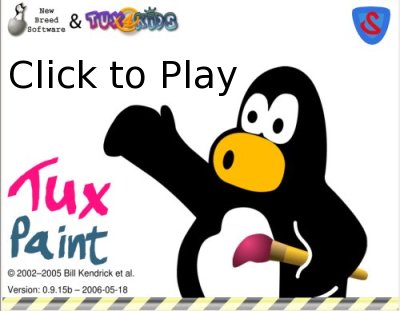
How to install Tux Paint stamps

November 17, 2009 by Chris · 2 Comments 

I’ve talked about Tux Paint on this blog over the years and produced an informative and slightly humorous Tux Paint demonstration video back in 2006. The video has been downloaded 1,066 times from internet archive.org and viewed 31500 times not including the 14000 views from the version with low quality audio which Ive deleted.

The most common question I get asked is “how do I get the stamps?“. All of the people who have asked are on the windows platform, I believe this is probably because on Debian/Ubuntu systems the stamp packages are installed with Tux Paint. So rather than continue to reply to all the email and comments I decided to write this howto and perhaps someone will do the screencast version.

Getting Tux Paint stamps for windows and mac osx

The steps are the same, visit the Tux Paint website, chose your operating system then download and install the optional stamps package.

tuxpaint_website_dos_dl

Chose OS then download and install stamps

Some of the people that asked me about the stamps must have been too excited at the time they downloaded Tux Paint and didn’t notice the optional stamps package or perhaps they didn’t install Tux Paint. If you’re having trouble you might need to ask an adult for help, if that fails just go colour.

Tux Paint stamps on Ubuntu

Ubuntu software package managment

Ubuntu software package managment

On Ubuntu we have advanced packaging tools, software management programs and remote software package repositories. Pretty much all the software on my system has been installed this way, its easier and more user friendly then installing software on other systems and the amount of top quality software you can install is amazing. Using search its easy to find cool new programs, for example if you’re a social media guru you might search for twitter, facebook or blog software, if you need a web server running a wiki you might simply install mediawiki and enjoy watching all the system dependencies get met. The two programs I’ll mention are the Ubuntu Software Center and Synaptic.

Ubuntu Software Center

The Ubuntu Software Center is new in Ubuntu 9.10, some people may not have upgraded so we will also look at Synaptic. Synaptic is usually installed on most versions of Ubuntu.

The Ubuntu Software Center is available from the Applications menu.

Ubuntu Software Center

Ubuntu Software Center

Simply use search, type tuxpaint and click the arrow and your done.

Ubuntu Software Center - Search

Ubuntu Software Center - Search

Synaptic

Synaptic is available through System Administration menu.

Again simply use Quick Search and type tuxpaint, Synaptic gives us more information about the packages, to install/uninstall software you tick the box and hit apply.

Synaptic - tuxpaint

Synaptic - tuxpaint

Tux Paint still reigns as the best educational paint software. Usually people are having too much fun with Tux Paint to think of it as an intelligent tutoring system within a highly interactive learning environment.

Tux Paint is available for free and as free software and you can also purchase the CD. It makes a great gift.

Making sculpted chair for secondlife part 2

August 23, 2009 by Chris · 1 Comment 

Following on from part 1, in this episode we finish modeling our chair, then bake the sculptmap, texture and preview them in opensim.
Watch it below or watch it on youtube.

Visit Archive.org and download the Ogg video or Avi.

YouTube Preview Image

Download Making sculpted chair for secondlife files (133) - 621.52 KB , it contains the blend file, sculptmap and texture used in the tutorial.

[Attribution 2.5 Australia]

All files and video released under CC-BY2.5-AU license.

Make sure you visit Teachers Without Borders space on Secondlife to check for upcoming events.

Making sculpted chair for secondlife

August 8, 2009 by Chris · 5 Comments 

Following on from Teachers Without Borders on Secondlife, I met Konrad to discuss what he needed in detail. The main goal is to have a set of chairs with multiple configurations depending on how the space is being used. In simple terms you have an object that you touch which brings up a menu with options like “lecture”, “discussion” and perhaps options for the number of chairs needed. When you choose an option the chairs reposition themselves. We’ll get to that in time. In this post we look at starting to design the chair in Blender. Konrad wanted to keep the space fairly informal so for now we are going with a typical outdoor chair.

I produced a video tutorial that roughly shows the steps I’ve taken to make the chair. I hope others join in and share their progress. All of the software is free and open source and runs on all the major operating systems. Here’s the things you will need.

Watch the video below or watch it on youtube or download it from archive.org.

YouTube Preview Image

I think Konrad has done really well with the space, to appreciate his work it might help some people to imagine what its like standing in a completely empty room.

You can see images of the chair in secondlife on flickr.

Stay tuned for part 2, we’ll look at baking the sculpt map and making the texture.

PRO TIP FOR MEDIA: You’ll notice on archive.org that the video is available in Ogg Video format, this is the video format used by professionals involved in OER and free learning, its a royalty free format. If it doesn’t play on your system by default then download vlc media player.

Teachers Without Borders on Secondlife

July 28, 2009 by Chris · 2 Comments 

I wandered around Teachers Without Borders space on Secondlife and recorded a video of it that you can watch below or watch on youtube. You can also download it from internet archive.
YouTube Preview Image
Read more about Teachers Without Borders.

I hope Konrad Glogowski doesn’t mind quoting some of his email but heres part of what he told me about Teachers Without Borders and Secondlife.

The mission of Teachers Without Borders is to support teachers from around the world with professional development opportunities and tools that connect them with information and each other so that they may play more vital roles in their communities. We currently work with several governments and Ministries of Education around the world, including Nigeria, Rwanda, Kenya, South Africa, Peru, and China just to name a few.

The goal of the SL presence is to provide a platform for teachers in industrialized nations to discuss teacher professional development as an important factor in international development, to help raise awareness of issues affecting teachers in developing nations, and to work towards increased empowerment and change.

The space will be used to host a discussion series open to all on some of the above topics. As a long-time jokaydian, I also hope to use this space to continue to contribute to the island’s growth and profile.

Konrad contacted me about making some furniture for that space and I’m really keen to contribute. I think perhaps he saw my sculpture and and work flow from my screenshots on flickr. Over the last few days I’ve been experimenting with chairs. To be continued…

The music I used in the video is “Confrontation, Le Gardien” by Grégoire Lourme.

Abbey Medieval Festival 2009

July 18, 2009 by Chris · 2 Comments 

Last Sunday I went to Abbey Medieval Festival 2009.
It was a fantastic event, I made a video and took some photo’s for your viewing pleasure.

Watch Abbey Medieval Festival 2009 on youtube or watch it below.

Check out my collection of images on flickr.

Knights battling

End Software Patents Australia

June 11, 2009 by Chris · 1 Comment 

Recently I received an email Ciarán O’Riordan about his work on FSF’s End Software Patents campaign. I think its wonderful that we have people working on that and helping us in Australia. For people who care about this issue please make contact with Ciarán O’Riordan and check out the wiki. Thanks for allowing me to publish the email below.

Hi,

I found your email address from groups.fsf.org/wiki/User:Chrismo (and a bit
of searching :)

I’m working on FSF’s End Software Patents campaign and am building a wiki
for anti-software-patent campaigns:

http://en.swpat.org

Gathering local info is pretty hard though. This week I’m focussing on
Australia, so if you know of any info/websites/stories about what’s
happening or what’s happened there, it’d be great if you could add it here:

http://en.swpat.org/wiki/Australia

I’ve found two interesting organisations digital.org.au and EFA, but if you
could point me towards other active (or potentially active) groups that care
about digital freedom or SMEs or software market competition, that would be
very useful so I could get in contact with them.

Thanks.

Ciarán O’Riordan, +32 487 64 17 54, http://ciaran.compsoc.com/

Software patents wiki: http://en.swpat.org/
End Software Patents: http://www.EndSoftwarePatents.org/

Donate: http://endsoftwarepatents.org/donate
List: http://campaigns.fsf.org/cgi-bin/mailman/listinfo/esp-action-alert

Next Page »